// Meteor Client Addon

LARPDEBUG

One of the finest anti-ESP bypass addons built for Meteor Client. Stay invisible. Stay ahead. Built for serious players who know what's at stake.

8+
Modules
520+
Commits
🔥 2026
Active

MODULES

💎
Amethyst Lode Finder
Locate amethyst geodes and rare lode formations fast, without exposing your position to detection systems.
📡
Archon Radar
High-precision radar overlay for tracking entities and player movements across configurable range.
📦
Block Drop Finder
Instantly highlights dropped block items in complex environments and crowded PvP zones.
🔍
Deep Scan Exploit Hunter
Scans terrain for exploitable geometry and hidden voids without triggering server-side detection.
🧠
Entity Cluster Scanner
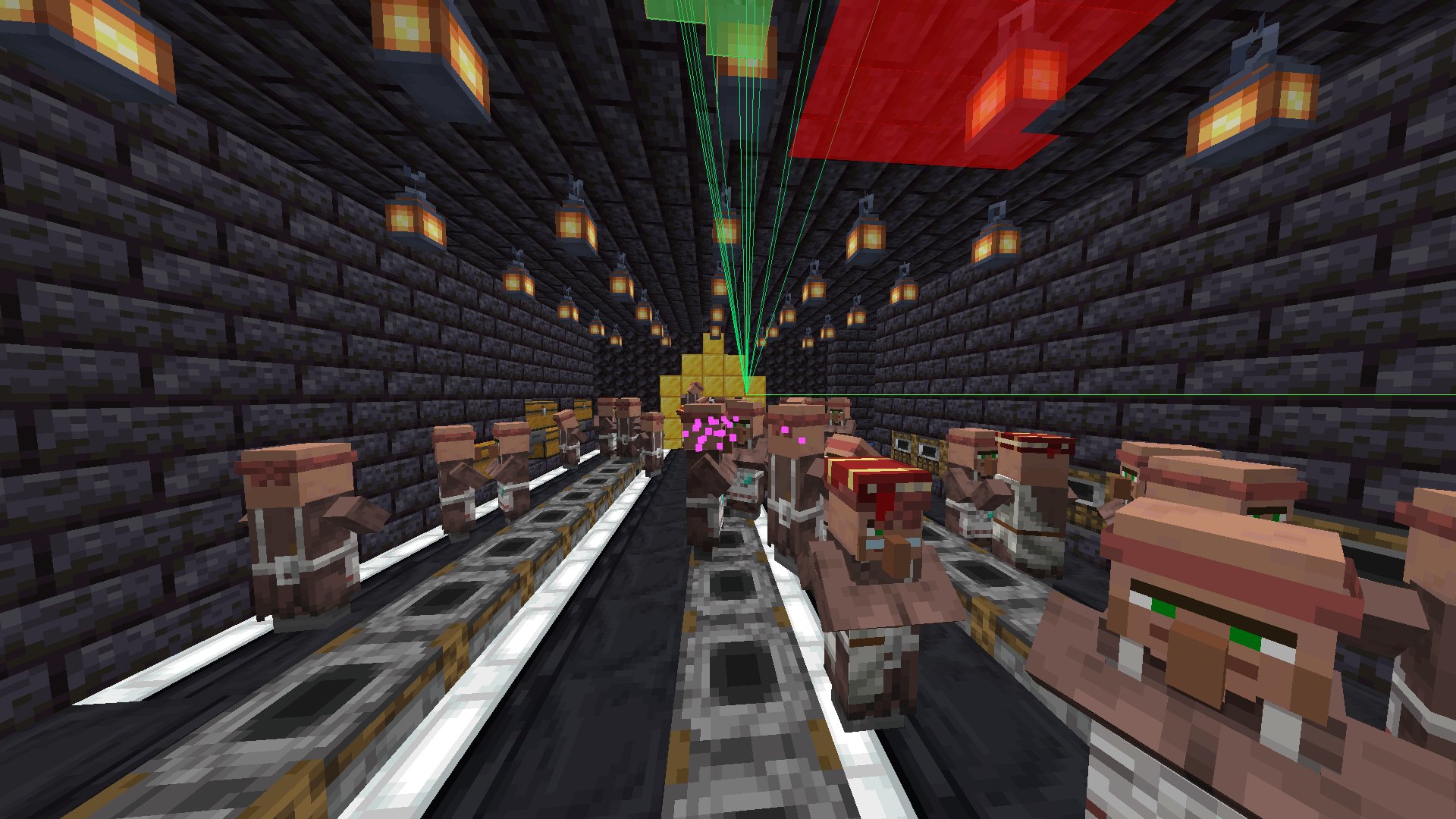
Detects and maps dense entity clusters — ideal for locating mob farms and hidden stash hotspots.
👁
Player ESP
Track players through walls with configurable range and render settings. Minimal detection footprint.
🗺
Player Heatmap
Visualise historical player traffic patterns so you can anticipate routes and avoid ambushes.
🔊
Spawner Sound Radar
Analyses audio cues to triangulate nearby spawner locations without X-ray exposure risk.

INSTALLATION

⚠️
Don't skip OpSec — you WILL get banned without it. Make sure you install OpSec alongside LarpDebug. It bypasses anticheat detection and keeps you safe on Donut SMP and similar protected servers. No OpSec = instant ban risk.
01
Install Meteor Client and LarpDebug
Download both .jar files above. Meteor Client is the base — LarpDebug is the addon that runs on top of it.
02
Download Fabric API for 1.21.1
Grab Fabric API 1.21.1 from Modrinth and drop the .jar into .minecraft/mods.
03
Drop all .jar files into your mods folder
Place Meteor_Client-1.21.11-37.jar, LarpDebug1.21.11.jar, and Fabric API all into .minecraft/mods.
04
⚠️ Install OpSec — this step is not optional
Download OpSec from Modrinth and drop it into .minecraft/mods. This bypasses anticheat and is required to avoid bans on Donut SMP and protected servers. Skipping this means you will get flagged. No exceptions.
05
Launch with Fabric Loader ≥ 0.19
Open the Minecraft launcher, select the Fabric profile (loader version 0.19+), and hit play. All LarpDebug modules will be available inside the Meteor Client GUI.

PREVIEW

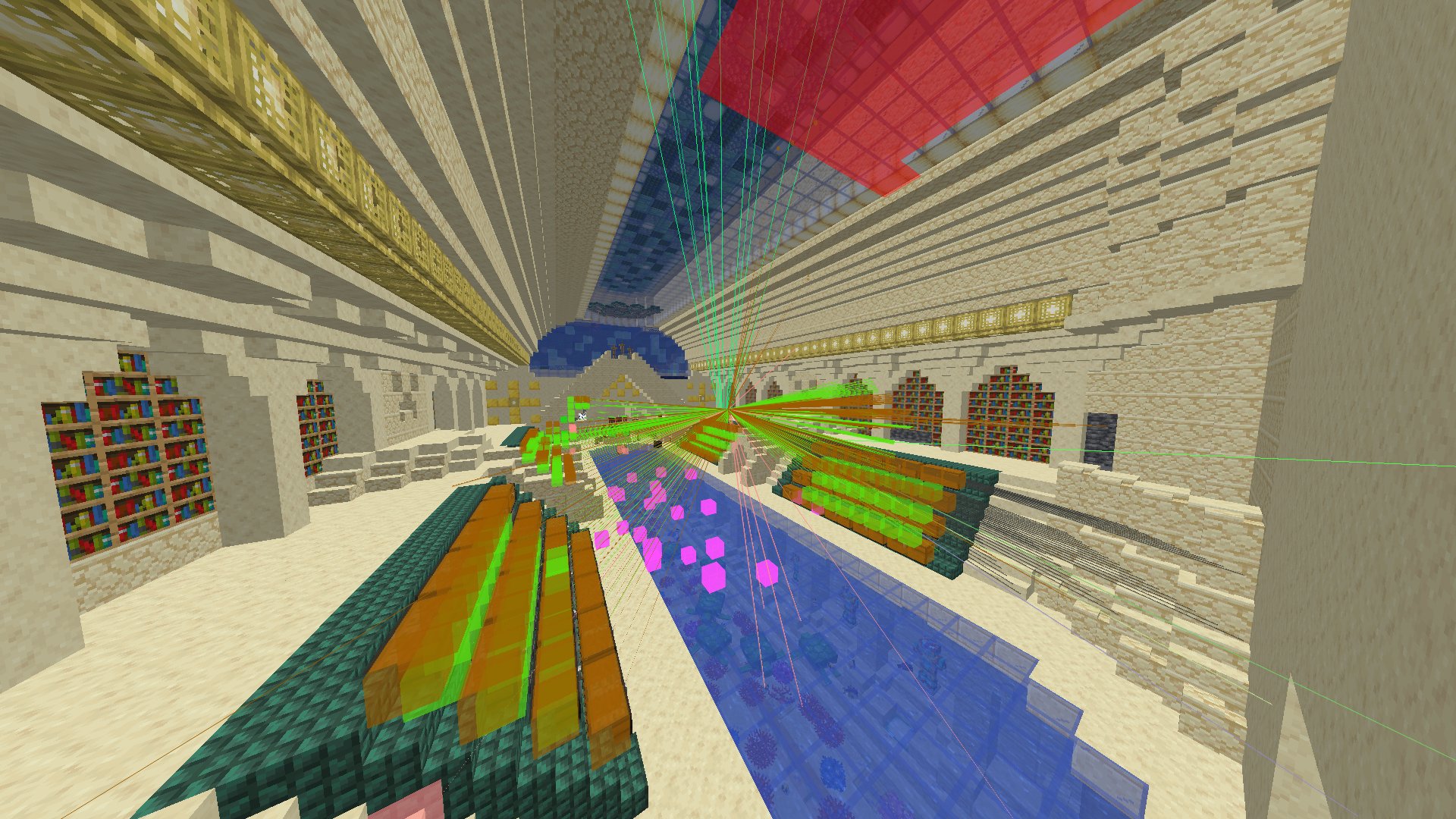
LarpDebug client ESP — library interior
ESP Active — Library Interior
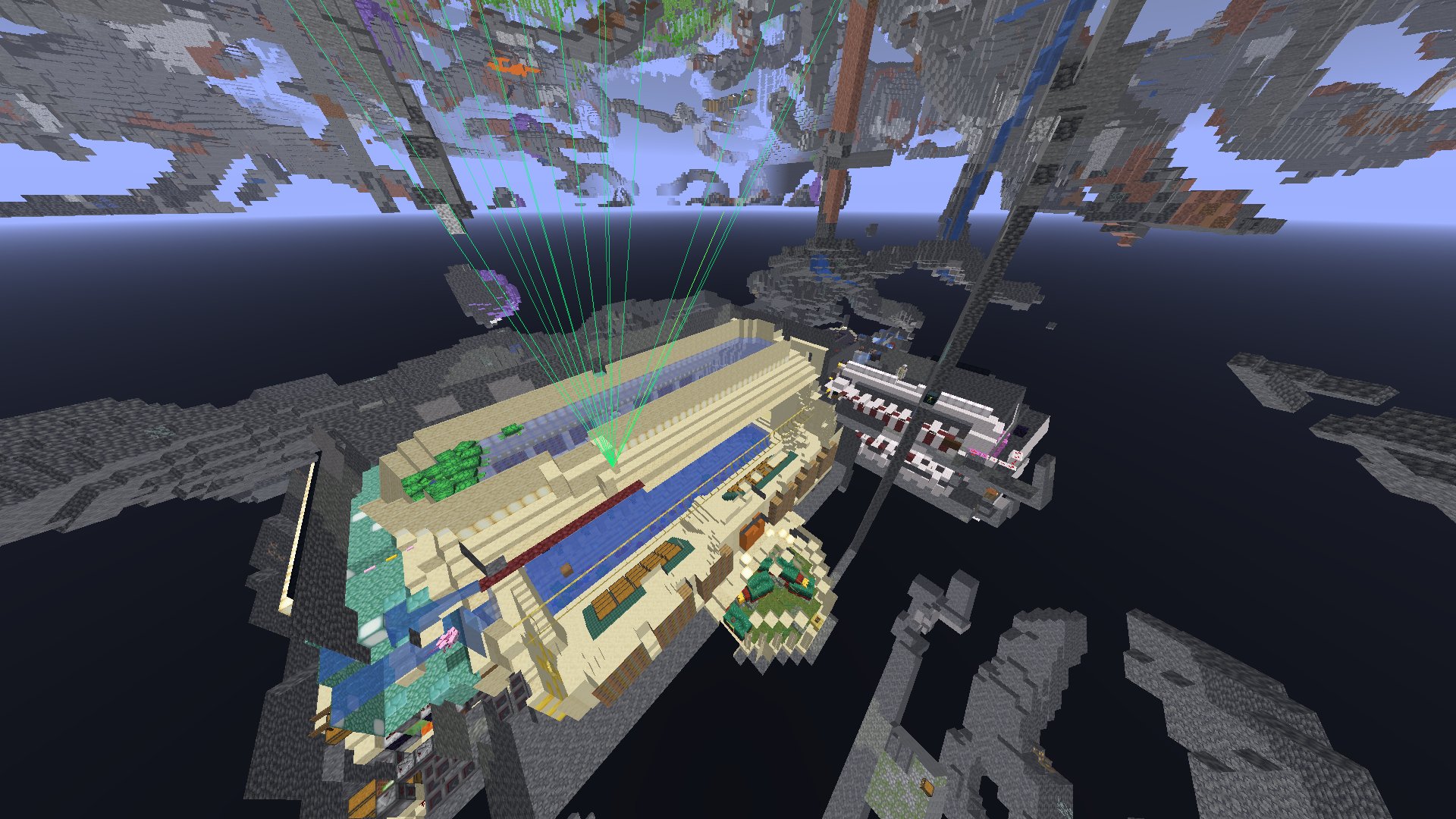
LarpDebug aerial tracer view
Aerial View — Tracer Lines
Entity cluster scanner — villager farm
Entity Cluster Scanner — Villager Farm

LEGAL TERMS

License

LarpDebug is released under the MIT License. You are free to use, modify, and distribute this software provided you retain the original copyright notice and license terms in all copies or substantial portions of the software.

Disclaimer of Warranty

LarpDebug is provided "as is", without warranty of any kind, express or implied. The developers make no guarantees regarding functionality, server compatibility, or continued development.

Usage Responsibility

By downloading and using LarpDebug, you acknowledge that using client modifications may violate the terms of service of certain Minecraft servers. You are solely responsible for complying with the rules of any server you connect to. The developers accept no liability for bans, account suspensions, or any consequences arising from use of this addon.

Third-Party Dependencies

LarpDebug is an unofficial addon for Meteor Client and is not affiliated with or endorsed by the Meteor Client team. Fabric API and OpSec are separate third-party projects with their own respective licenses.

Privacy

This website does not collect personal data, use tracking cookies, or serve advertisements.